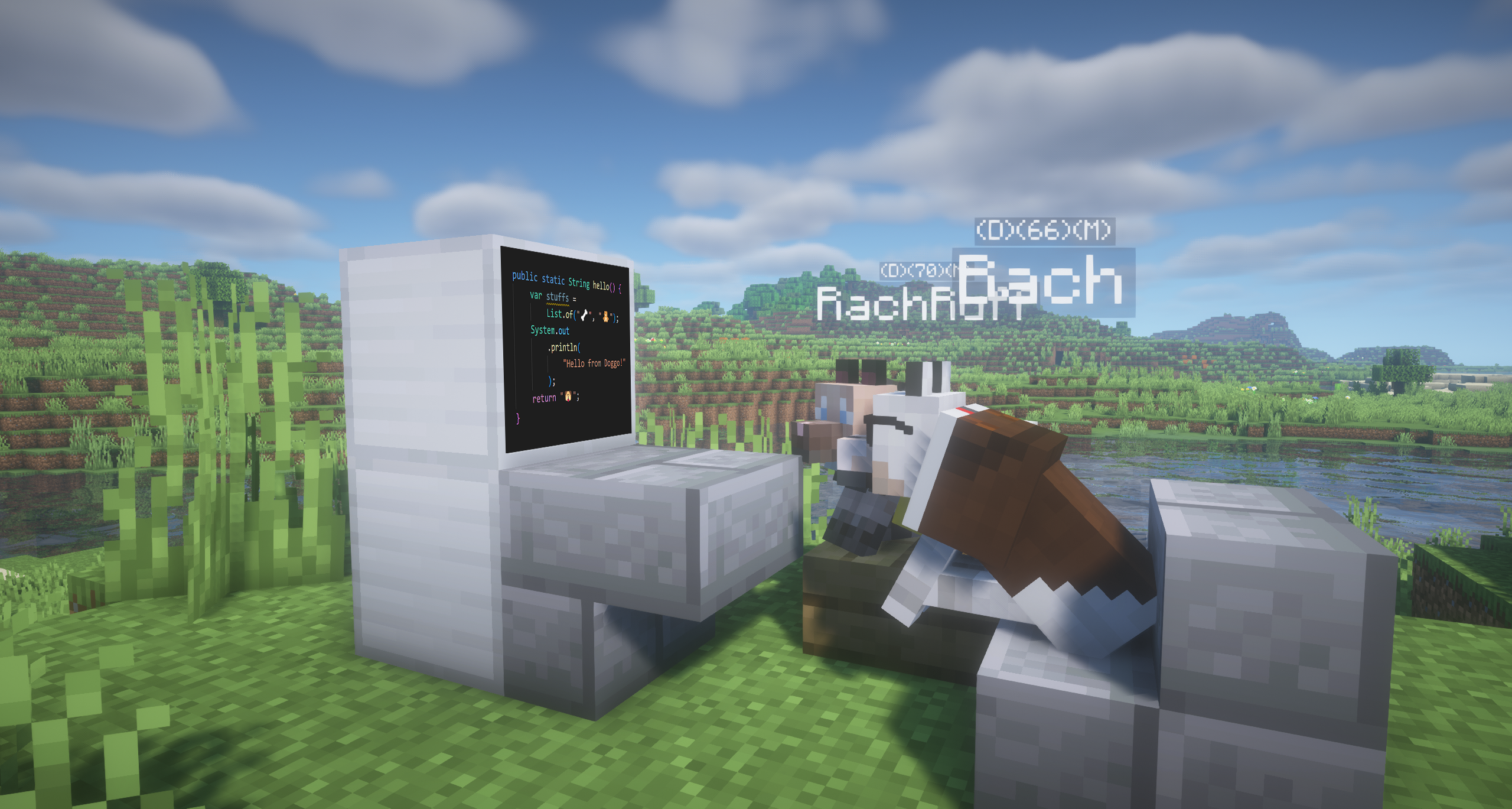
Disclaimer:
- This tutorial is for models that have major alterations to the vanilla models (e.g., Adding/Removing cubes).
- For re-texturing only, it is not necessary to do so. If you are interested, click here.
- The model being featured in this tutorial is the Basset Hound from MrBlueYeti's BetterDogs project for Better Dogs X Doggy Talents Next. Go check it out! 🥰
Difficulty: 🦴🦴🦴
- Required Software: Blockbench.
- Required Knowledge: Basic Blockbench knowledge.
I have provided a template for you to work on, which you can download here.
 Template model overview
Re-Grouping the Parents
| Step | Description | Demonstration |
|---|---|---|
| 1 | Open your Dog Model file (mine is the Basset Hound from BetterDogs RP) and the DefaultDogModel.bbmodel (DDM) file. | 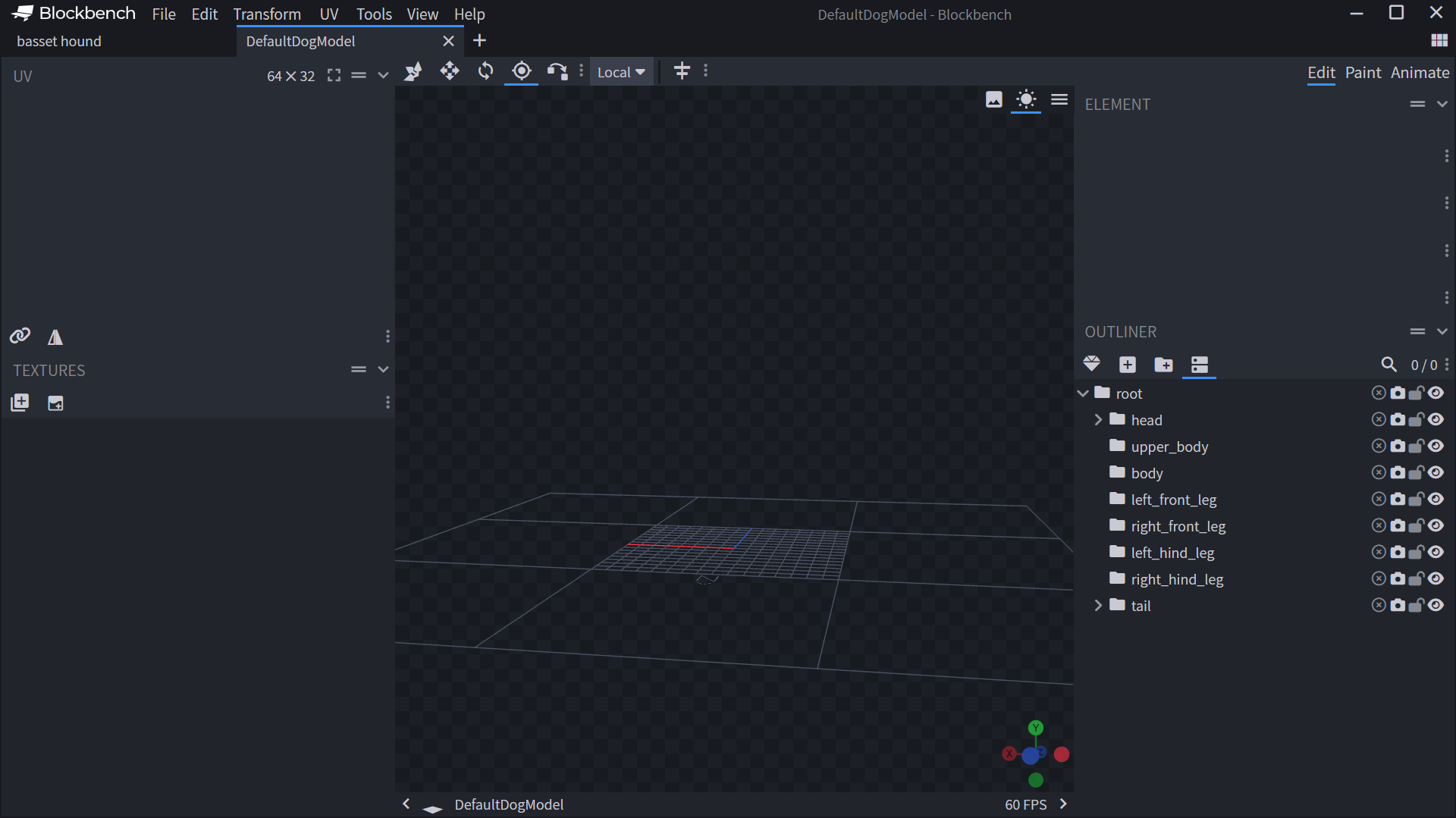 |
| 2 | Copy the "root" group from DDM to your model, then paste it as the outermost group. | 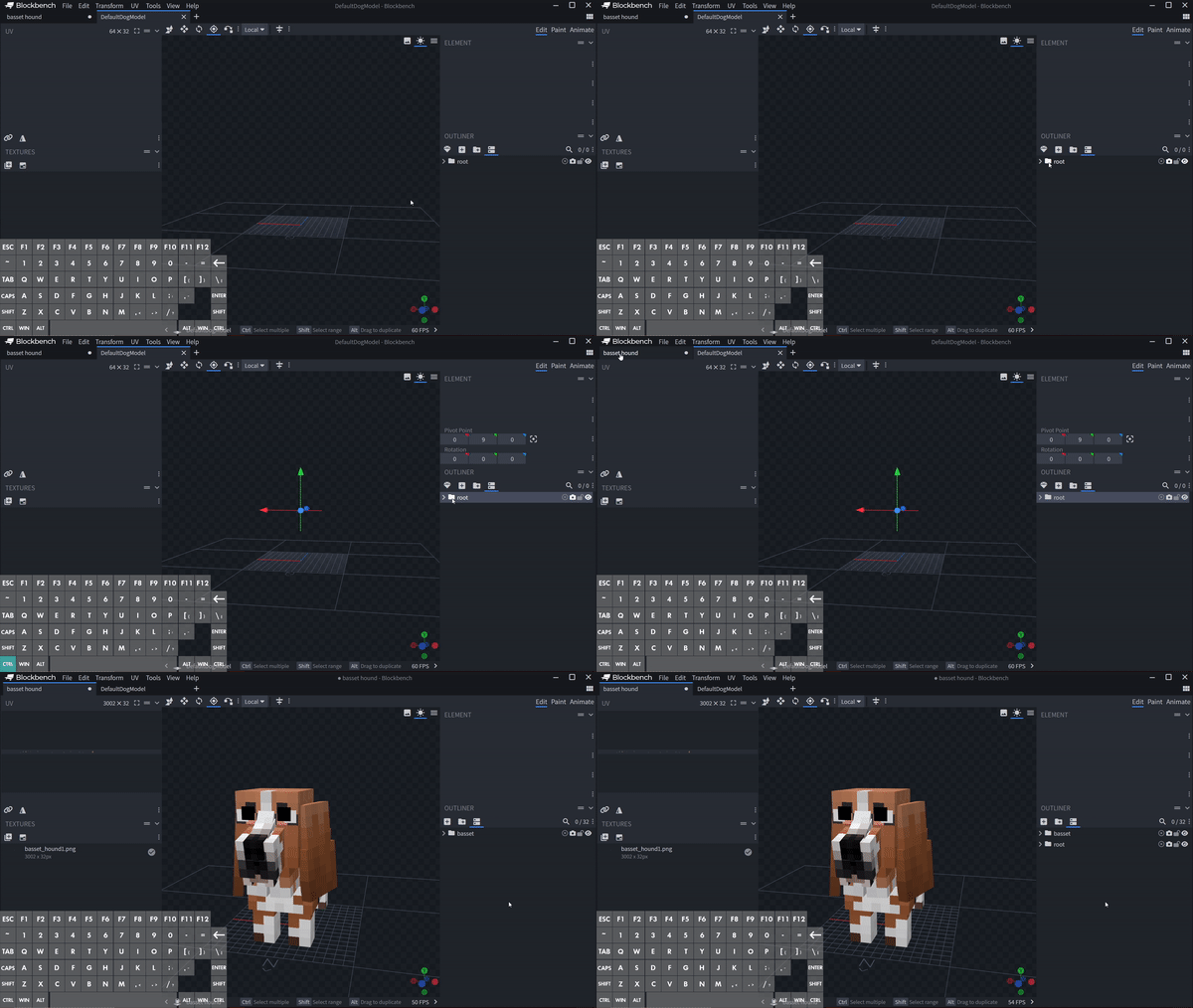 |
| - | The root should consist of: | 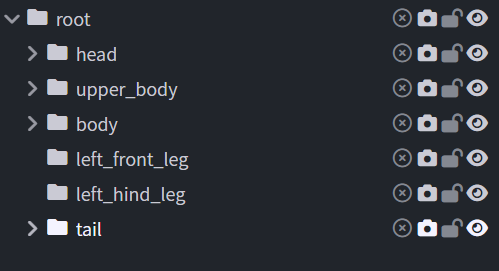 The root should consist of: |
| 3 | Locate the parent group (or cubes) corresponding to each part listed above. Helpful Shortcuts: • V: Move | R: Rotate | P: Pivot | S: Scale • Shift: +/- 0.25 | Ctrl: +/- 0.1 Keep in mind you have to match the parts exactly as your old model. | 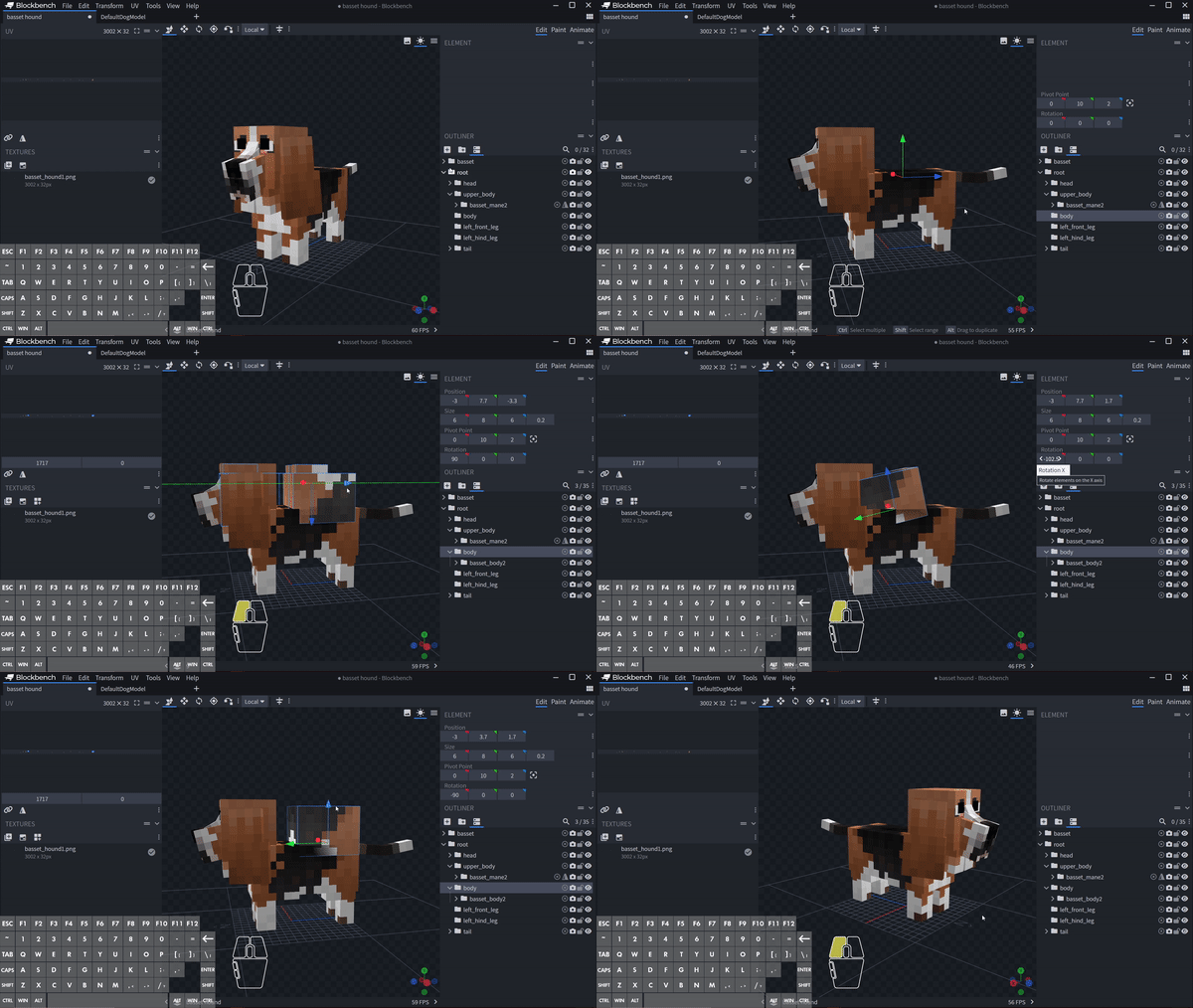 |
| - | Make sure you set the pivot and delete the opposite group before duplicating the cubes! | 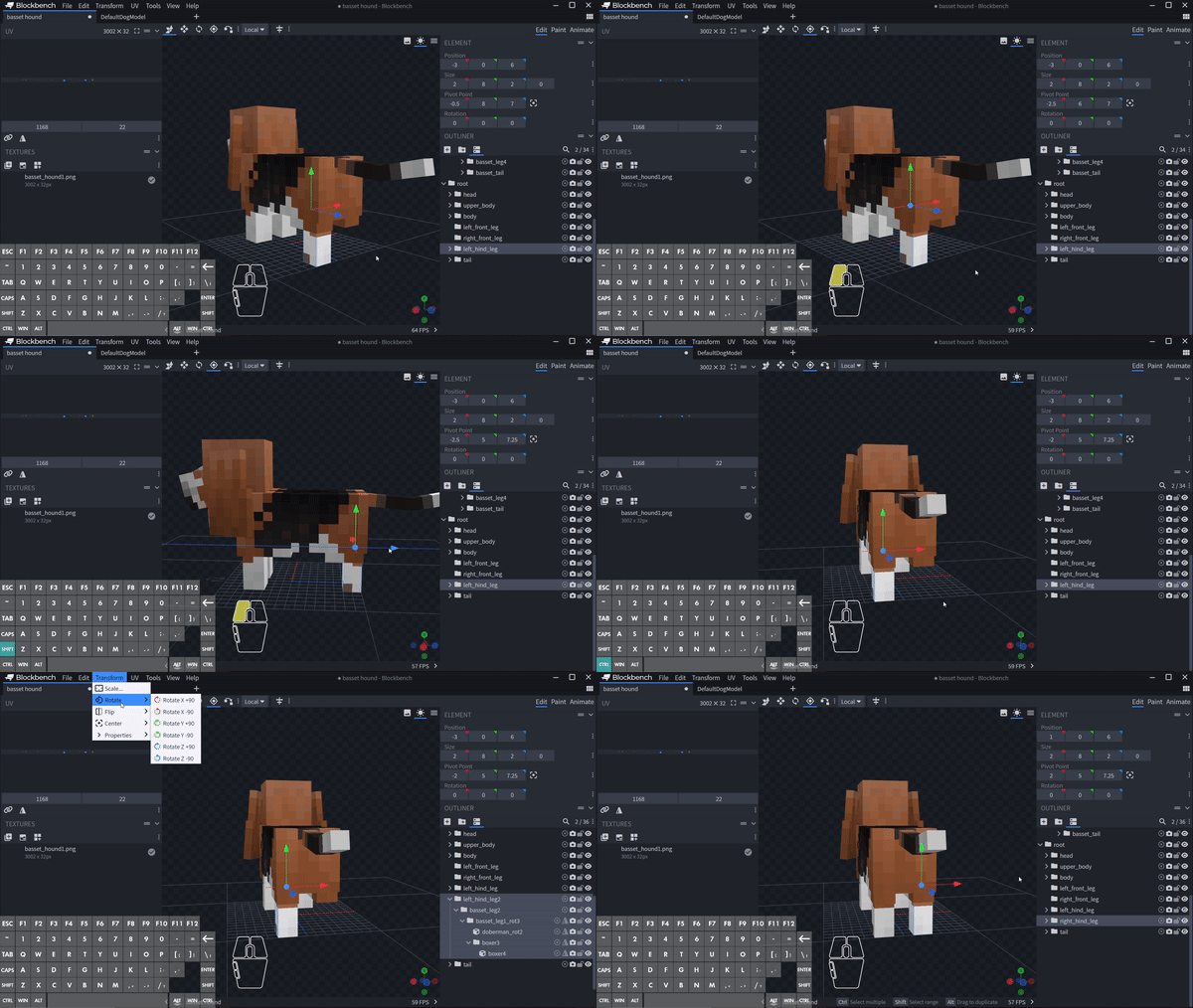 |
| - | Head Group Organization: Everything belongs to the head group (including right/left_ear) should be inside of the real_head group. | 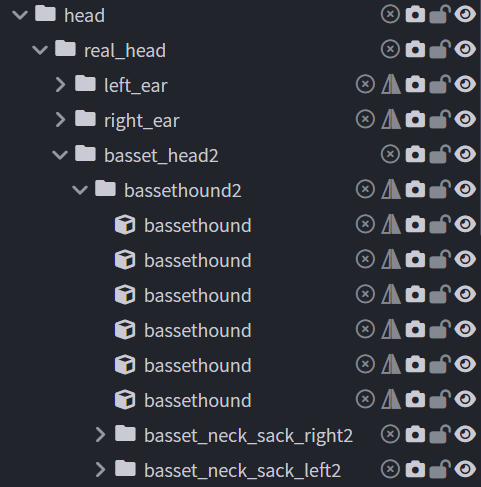 |
| 4 | Finally the tail: you have to make the tail rotation 0, which means it points down directly to the ground. | 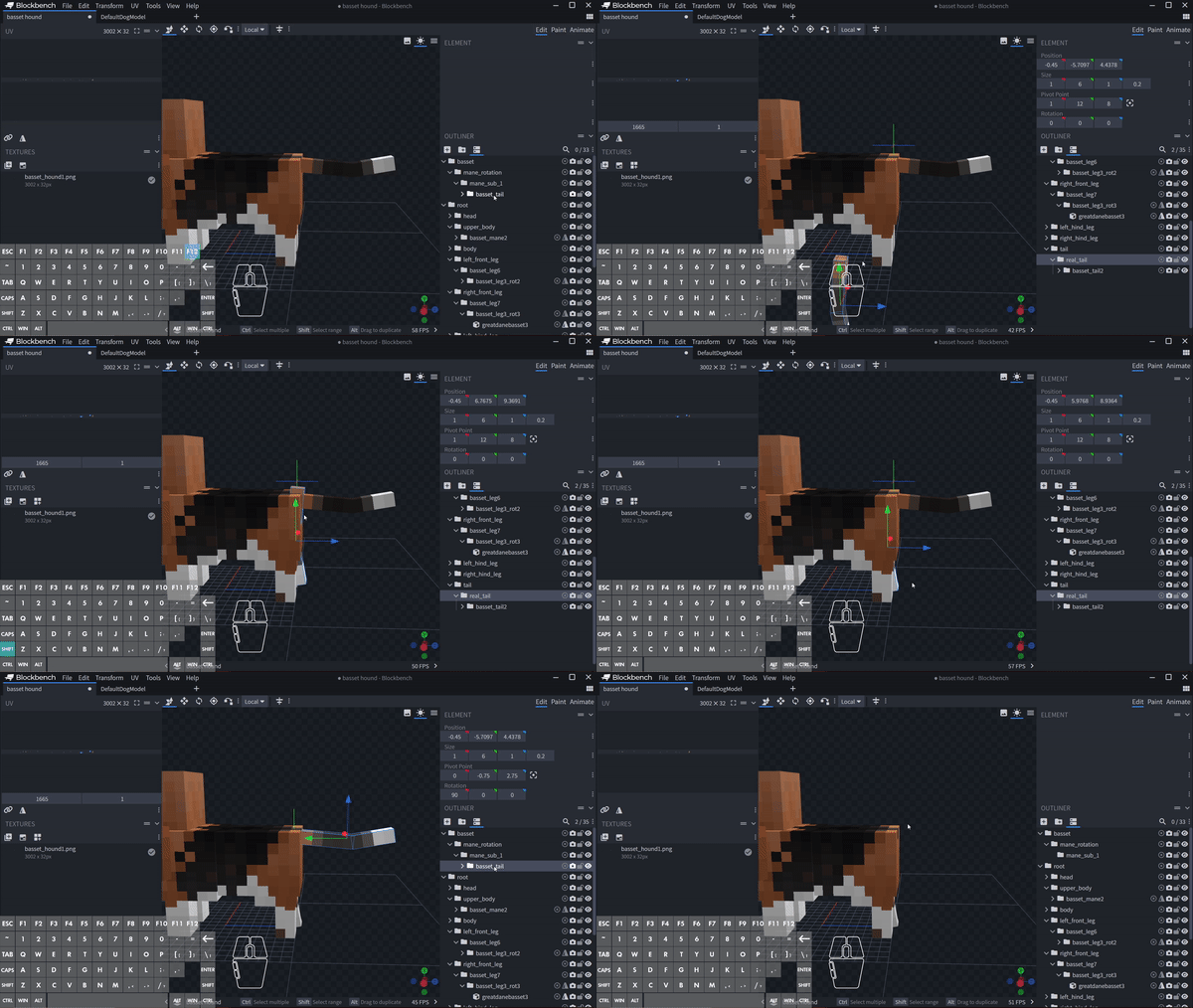 |
| 5 | You can now remove the old groups as the current model is now DTN compatible. | 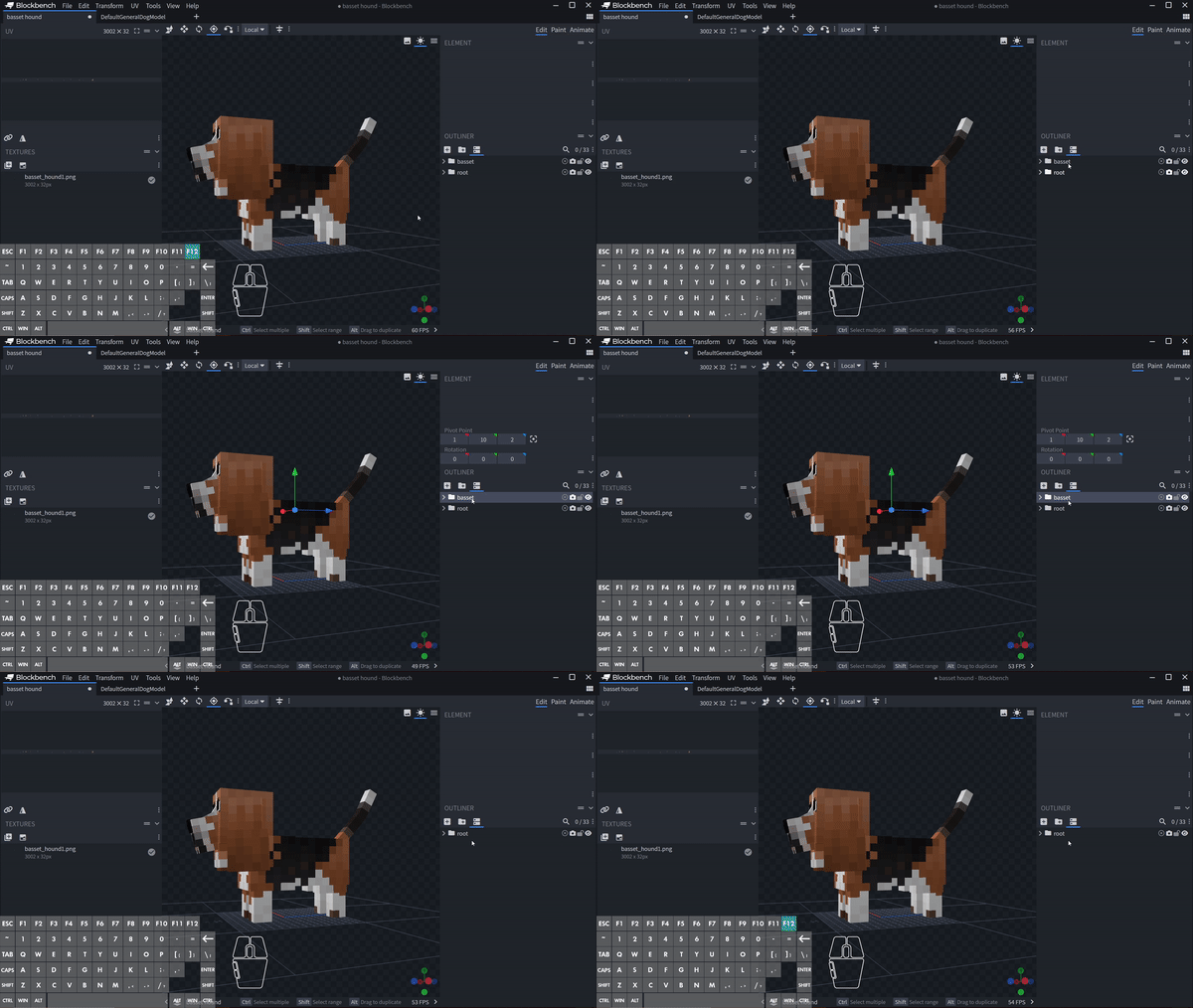 |
Fine-tuning the Parent Pivots
| Part | Pivot Guidelines | Demonstration |
|---|---|---|
| Head | • head: usually at the center. • real_head: must have the same pivot values as head. | 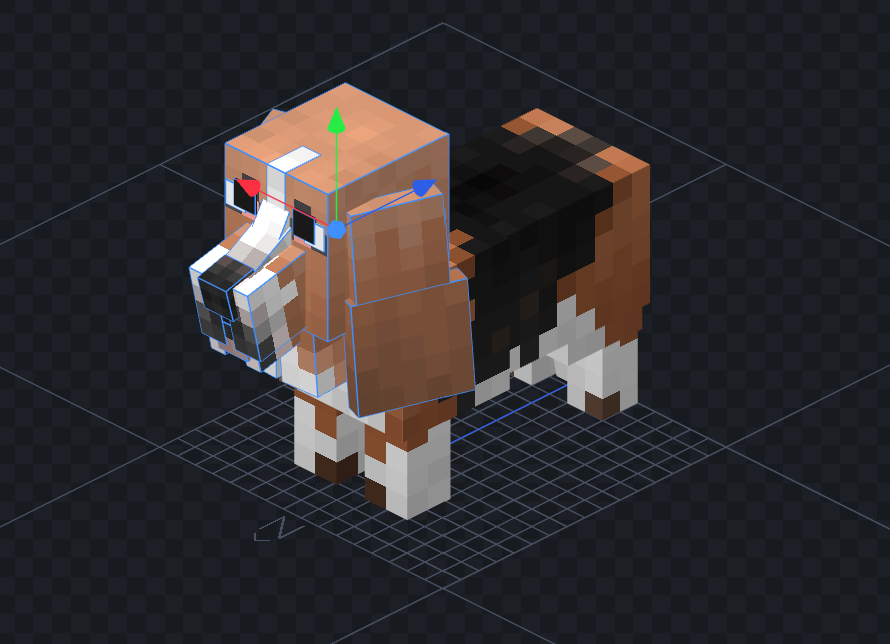 |
| Ears | • Between eyes and head corner OR at the connecting point. • Symmetrical items (legs/ears) should have identical Y/Z values, with X being +/- the same number. | 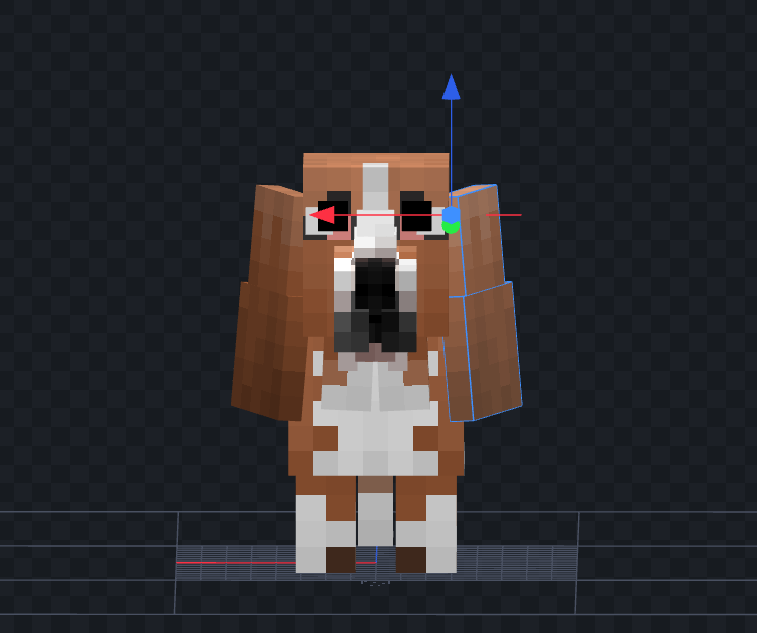 |
| Body | • Pivot adjustments continued. • Symmetrical items' pivots have the same Y and Z values. | 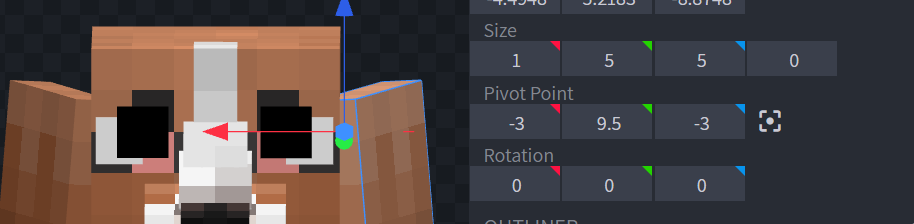 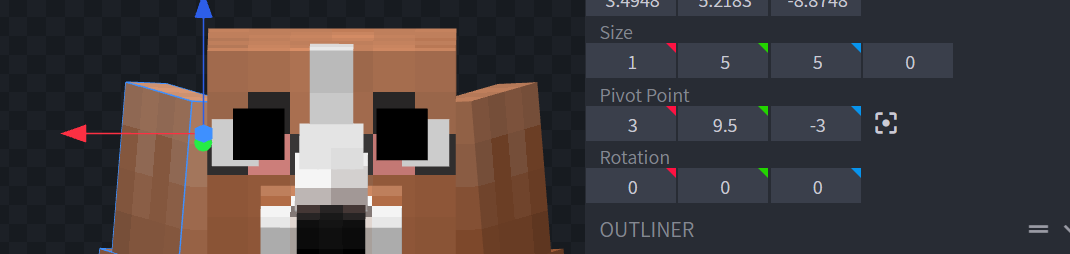 |
| Body | • upper_body: at the center (group must be -90). • body: slightly towards the mane from center (group must be -90). | 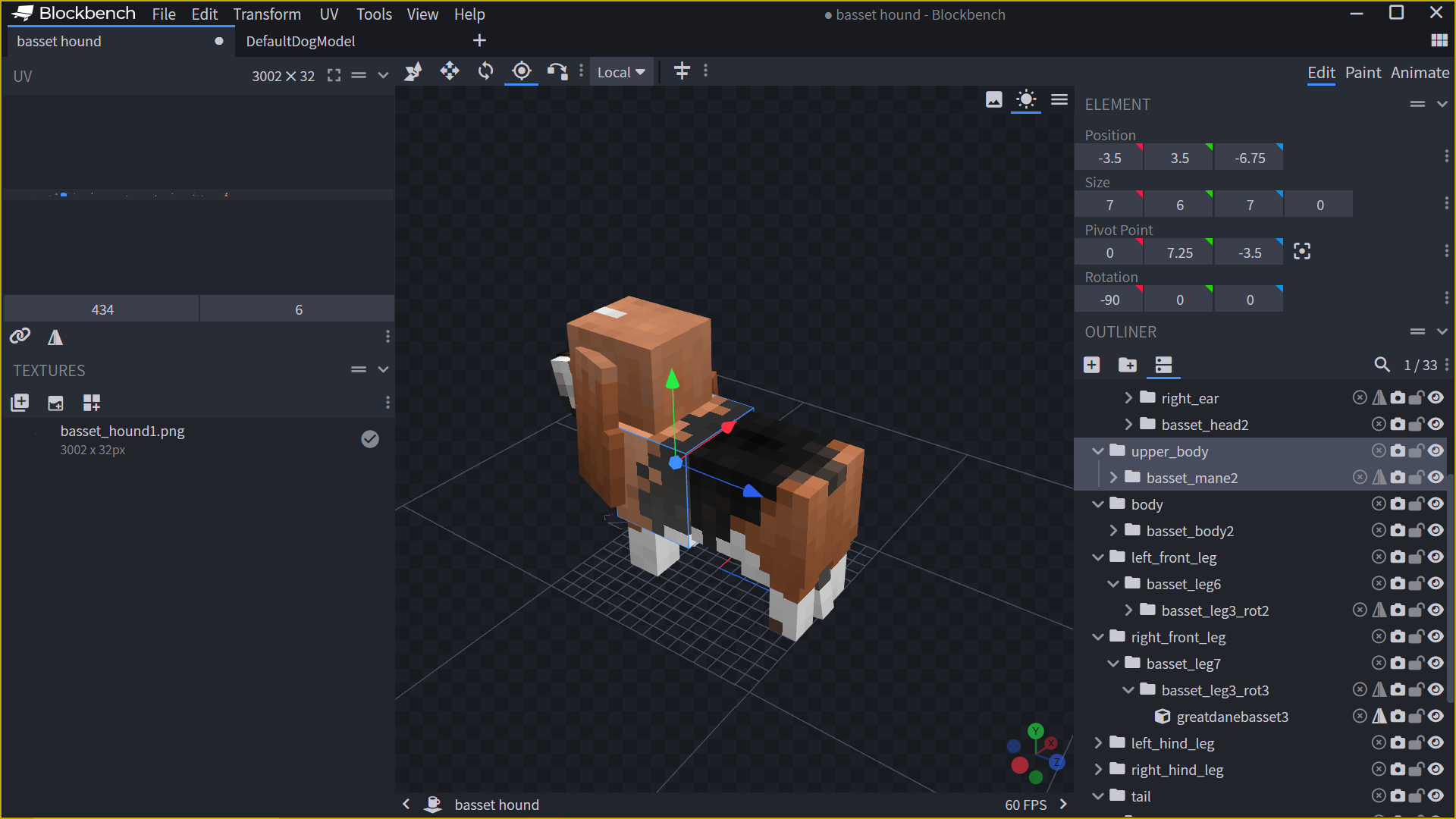 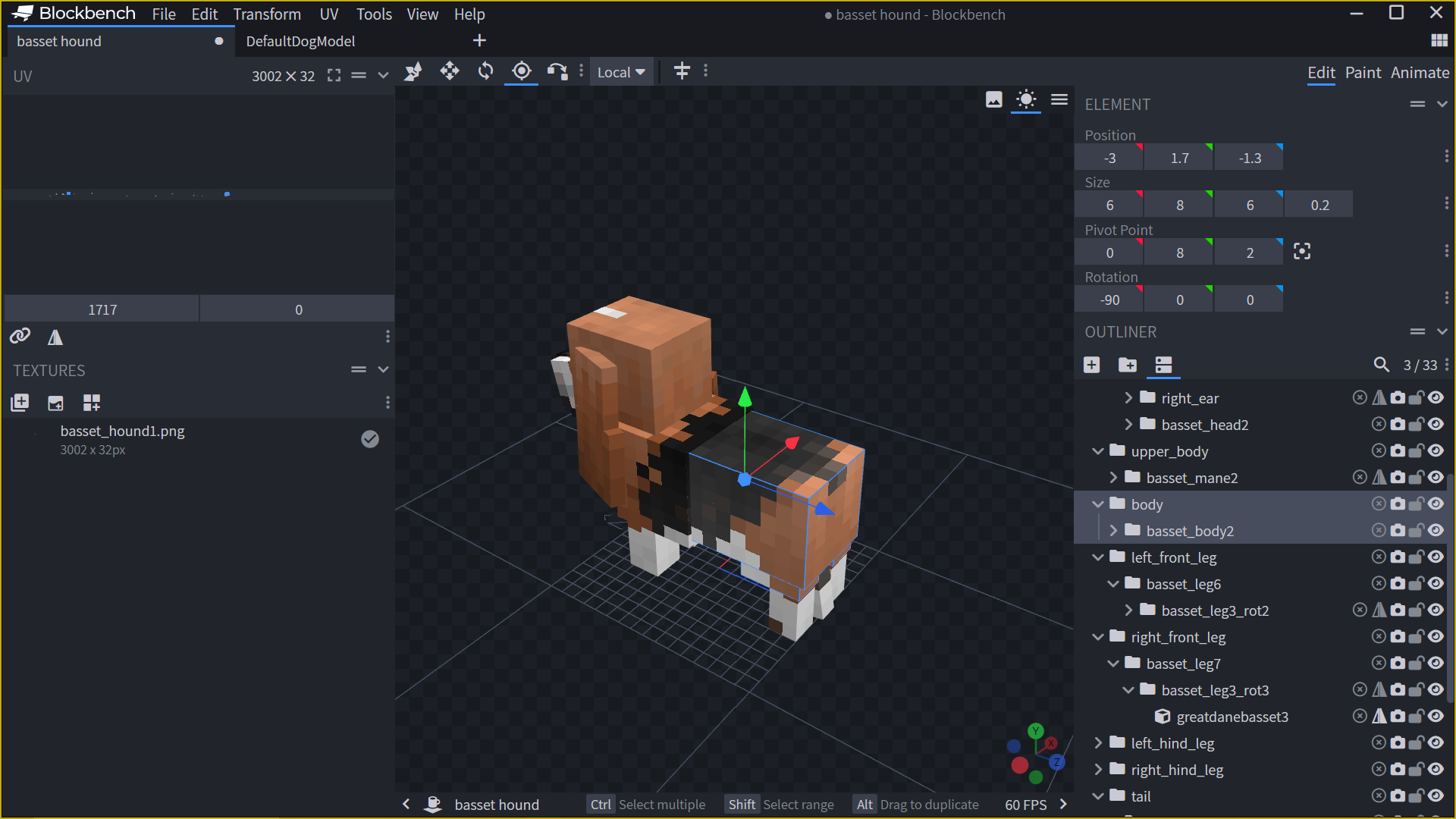 |
| Legs | • Usually at the connecting point of the leg and the mane/body. | 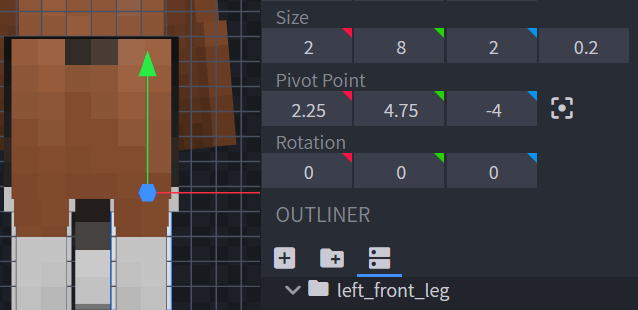 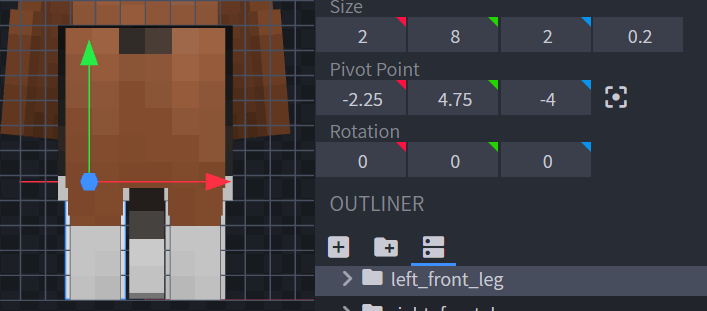 |
| Tail | • tail: top tip center of the butt. • real_tail: must have the same pivot values as tail. | 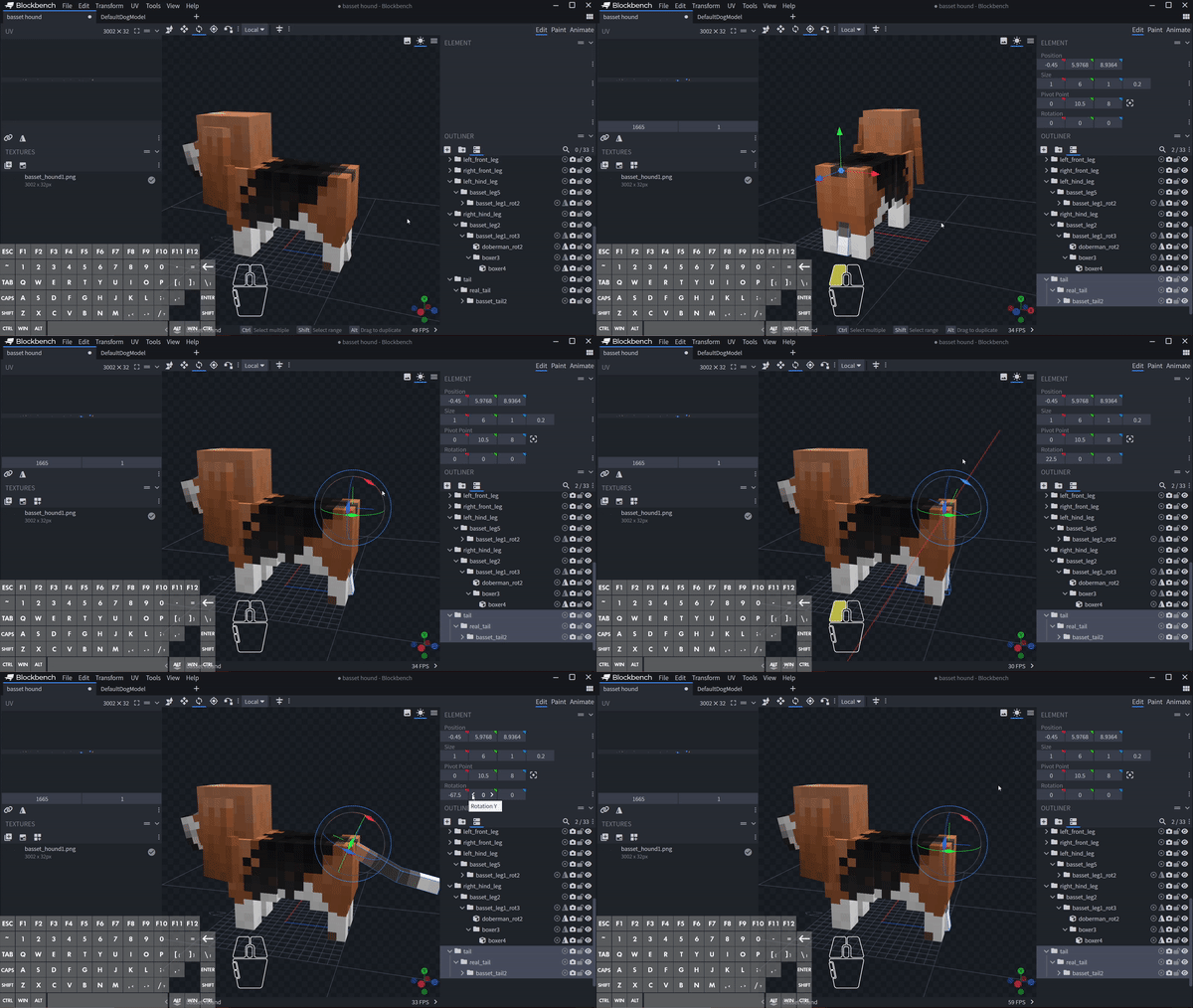 |
Testing the Animations
| Step | Description | Demonstration |
|---|---|---|
| 1 | Locate the Animate tab. (If missing, convert the model to Modded Entity). | 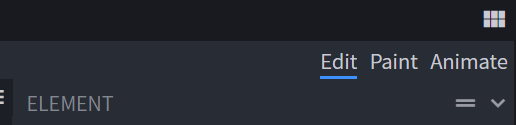 |
| 2 | One by one, Copy and Paste each animation from DGDM to your current model. | 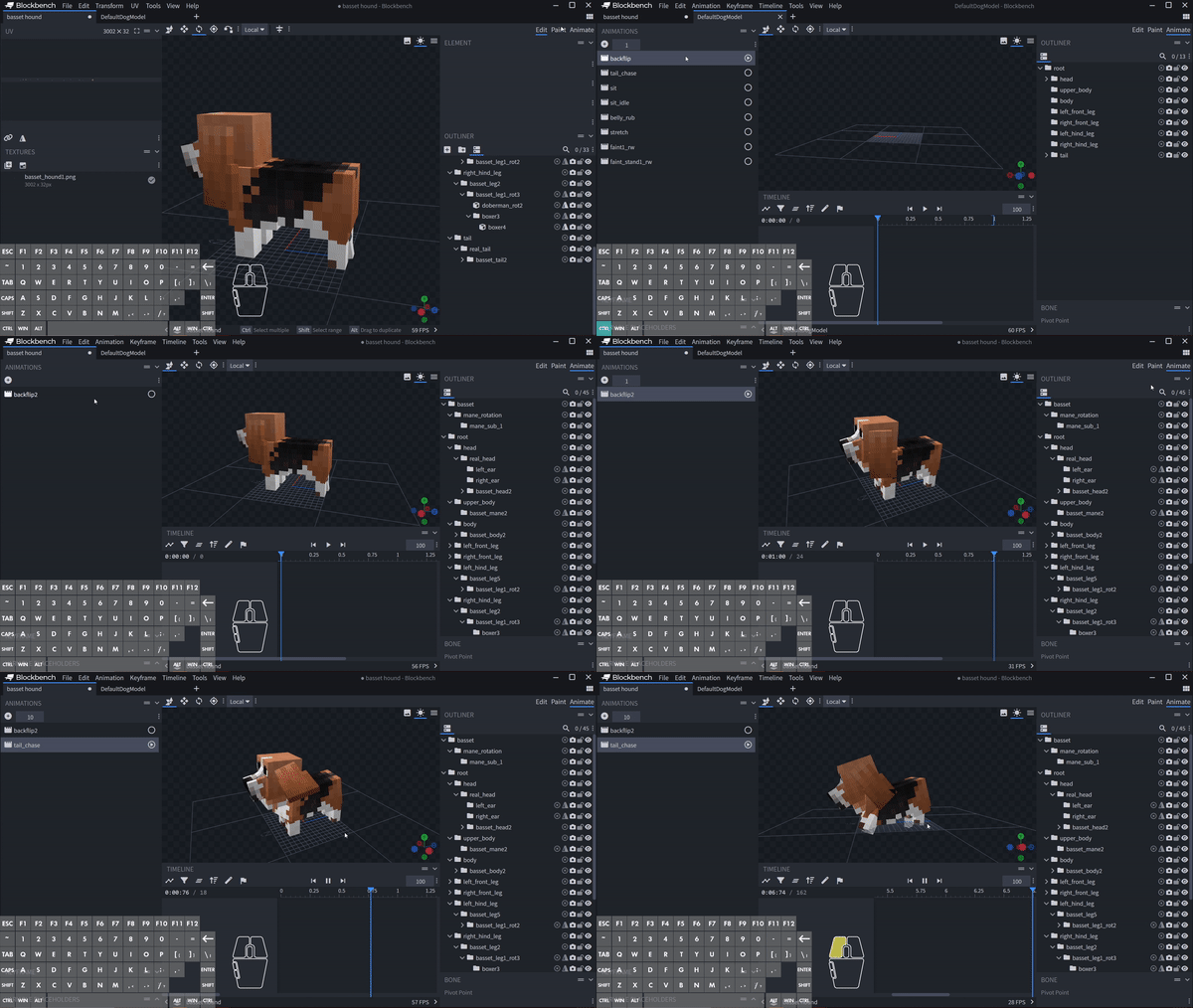 |
| 3 | Test for abnormalities. Fix pivots and tinker with values if you see: • Head getting detached 💀 • Legs poking through body • Tail going weird Note: sit/tail_chase need tail rotated (x = -110) during animation; revert to x=0 after. | 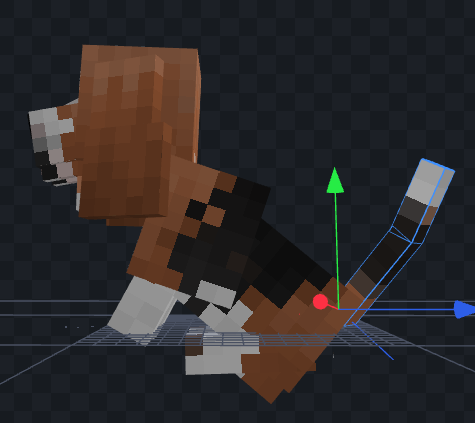 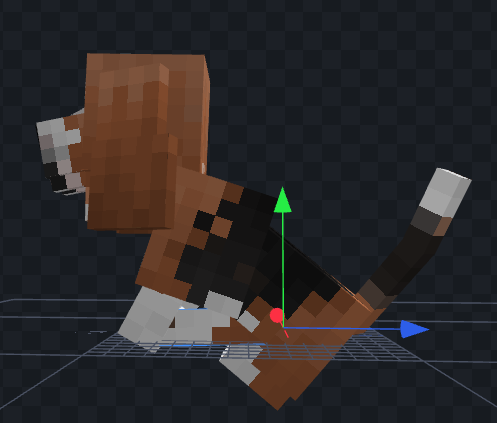 Left: Hind legs poking too deep. Right: Solution (Move y-pivot up by 2). |
Last Resorts:
- Move the cubes.
- Scale the cubes (Last last LAST option). Tip: You can add connecting cubes if needed!
Finalizing
After all animations look acceptable:
| Step | Description | Demonstration |
|---|---|---|
| 1 | Right-click the "root" group then Resolve the "root". (Some animations may stop working; save as your "de-rooted" file from here). | 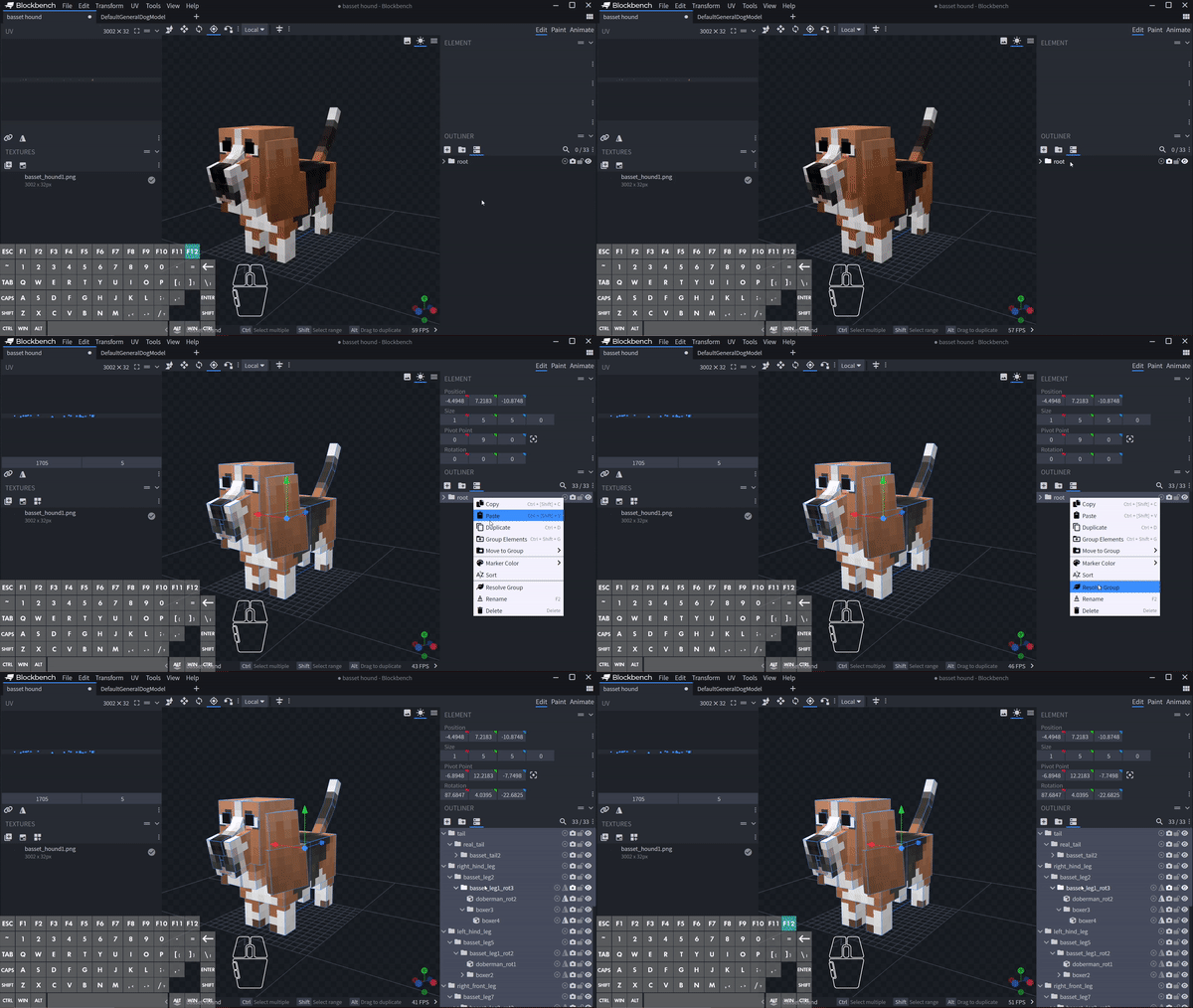 |
| 2 | Convert the file into Modded Entity (if it's in another format). | |
| 3 | Final Checklist: • Tail x-rotation is 0. • Root has been resolved. • Head items are inside real_head. • Tail items are inside real_tail. • Pivots for head/real_head match. | |
| 4 | Get up and drink some water or do light exercises!!! - says MashXP | no |
| 5 | Rinse and Repeat for your other models! |
Final Product
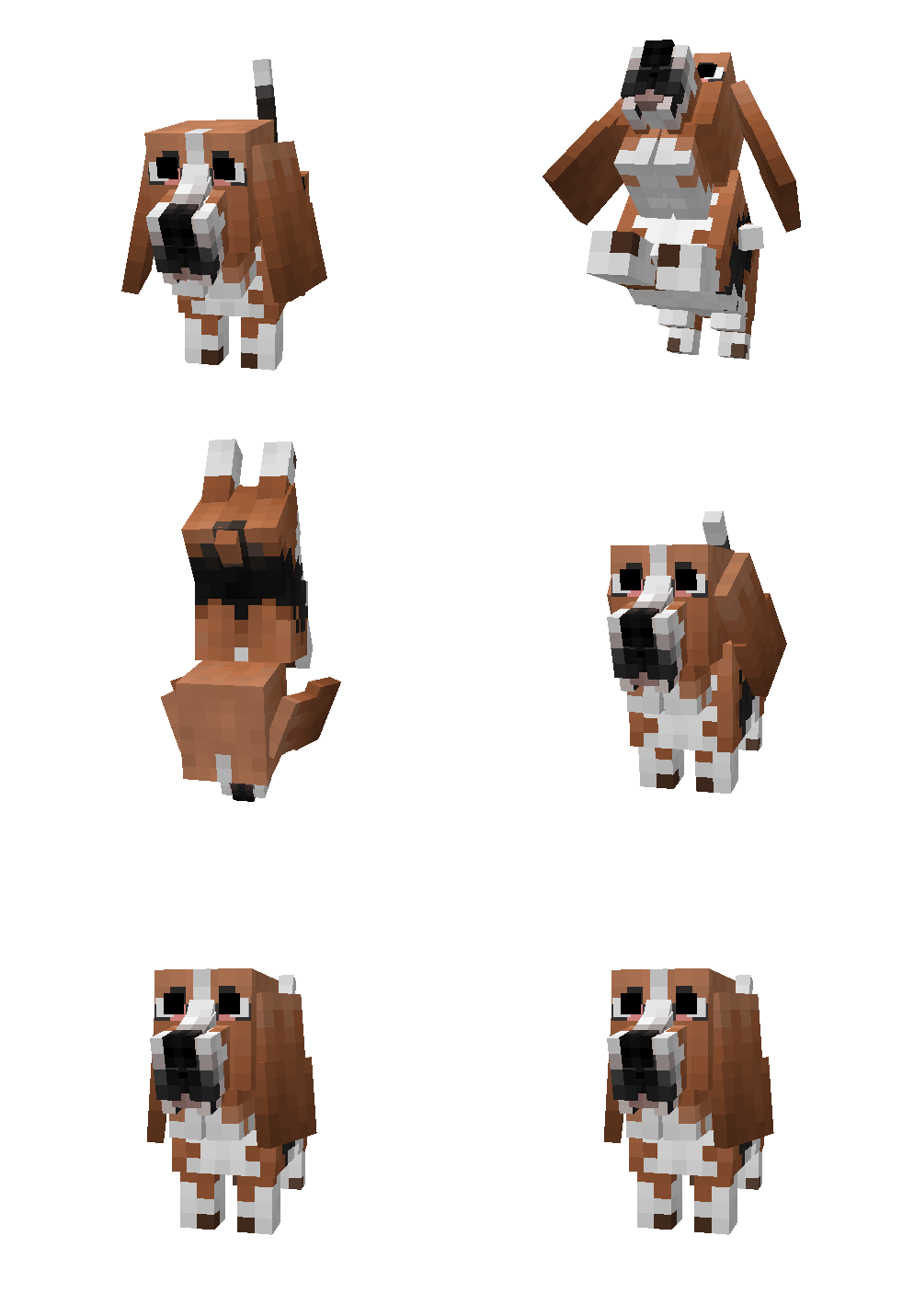
A note for future you:
Next time you're planning to work on a new dog model, use the
DefaultDogModel.bbmodelas a template to make implementation easier!
I hope you find this guide helpful! Feel free to ask any questions during the process.
Good luck!!! がんばってね〜!(。•̀ᴗ-)✧